Booking a Room & Requesting Access to Empire House
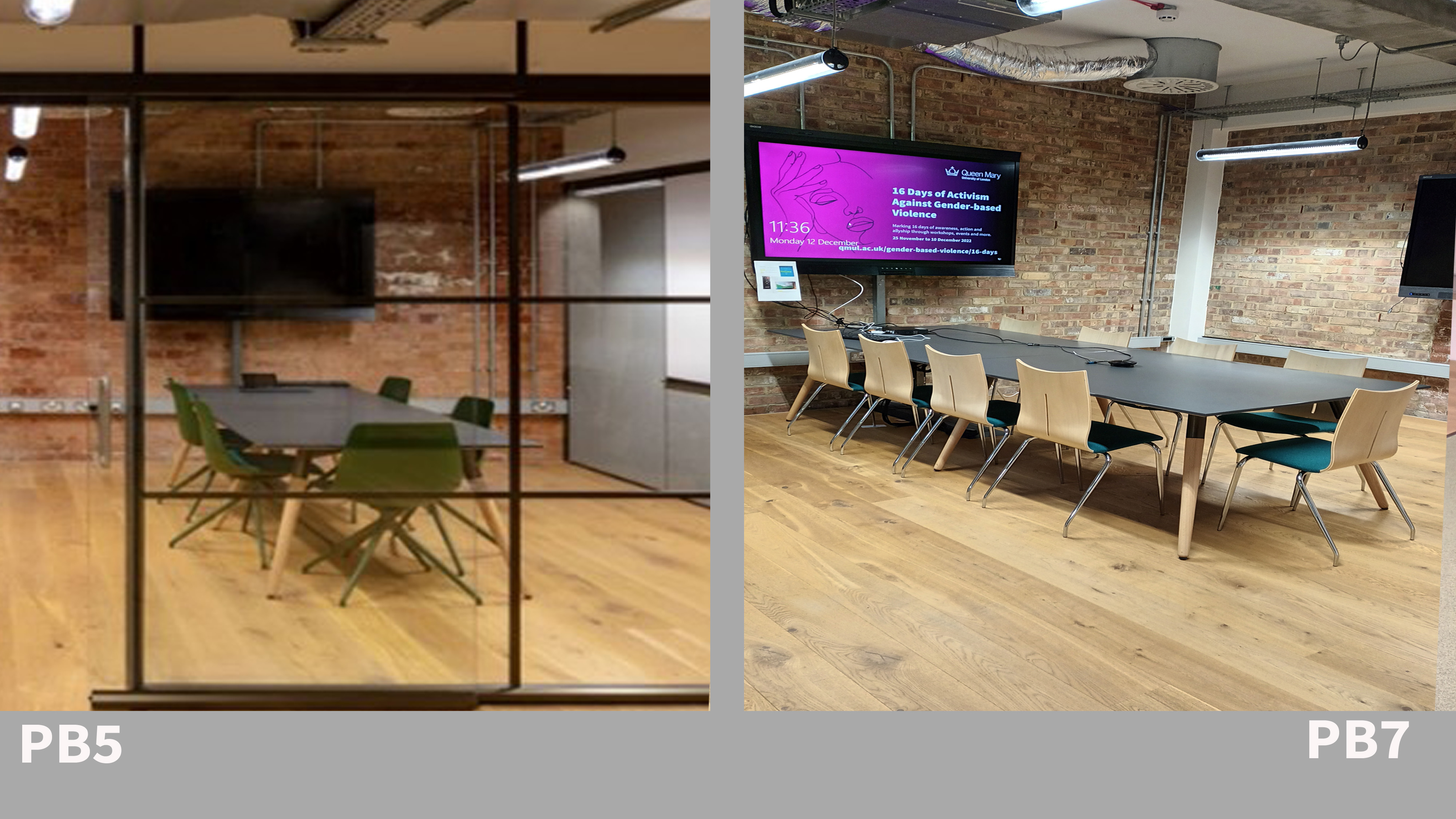
The DERI Basement has a selection of meeting rooms, each one has a screen with wifi access and HDMI connector. Rooms 5,6 and 7 have their own standalone desktop connection.
To Book a Basement Room
Rooms available to book in the basement floor of Empire House can be accessed through the outlook calendar, an invitation can be sent to the room to check availability, or you can use the calendar to see if the room is busy. The rooms are listed as:
[Room] Wht-Empire-PB.1,2,3,4,5,6.7
Floor Room no Capacity
Basement PB 1 2
Basement PB 2 2
Basement PB 3 2
Basement PB 4 4
Basement PB 5 6
Basement PB 6 4
Basement PB 7 10
Access Requests
If you require swipe-card access to Empire House for frequent room bookings, requests can be submitted via the following Access Request Microsoft Form and will be reviewed by the DERI Team.
Please note swipe-card access to Empire House is not allocated for one-off meetings, you must contact the person you are visiting in Empire House and make sure they are in the building to give you access. The main front door has a video intercom and there is an entry telecom handset on each floor of Empire House.